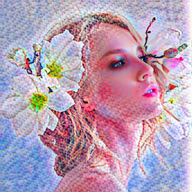

Thread Badge
ORIENTATION LOCK FOR BOTH PANELS: Use the uploaded photo's displayed orientation as the fixed reference. Keep the top, bottom, left and right of the original scene on the same sides in both panels. Keep the original camera viewpoint. For each person visible in the source photo, preserve their head angle, facing direction and gaze. Fit the wide panels with an upright crop or reframing only. Never rotate, flip, mirror, turn sideways or turn the subject to face another direction. Use the uploaded photo as the sole visual source. Make one portrait 3:4 image with exactly two full-width panels stacked vertically. The straight horizontal seam is at half the canvas height, with no frame, gap, dividing rule, words, labels, or logos. TOP HALF: show the uploaded scene as faithful natural photography. Preserve identity, pose, clothes, main objects, colors, and light. Reframe gently to fit the wide panel while keeping the face and important objects visible. Do not apply the art effect here. BOTTOM HALF: reinterpret that same subject and scene in the following style. Retain the subject count, characteristic silhouette, gesture, key colors and objects. Turn the main subject and the most recognizable props into a single hand-stitched souvenir patch on oatmeal linen. Build all details from raised twisted yarn, directional satin stitching, chain stitches and softly padded applique. Show fibers, dimensional thread and gentle contact shadows. Simplify the background down to a few stitched marks. Keep the silhouette, gesture and colors legible. Leave the surrounding raw linen empty. FINAL ORIENTATION CHECK: The upper photo and lower effect must both match the original photo's up/down and viewer-left/right orientation. Any people visible in the source photo must keep their original head angles, facing directions and gaze. Apply the effect without changing that direction. No sideways or upside-down content, no rotation at any angle, and no horizontal or vertical flip or mirror in either panel.
Needs 1 photo · About 3s
How to
- Upload a clear portrait photo
- Generate the Thread Badge look in one tap
- Sign in to use free creations or Pro
Related styles
More looks in AI Photo


