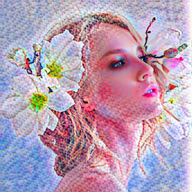

Neon After Dark
Make one original full-bleed illustrated game-poster scene with a single adult protagonist. Image 1 supplies the adult subject’s face, age, skin tone, hairstyle, and other identity traits. Image 2 supplies the illustrated lighting and art direction, dramatic framing, and the position, scale and typography hierarchy of the upper artwork and lower title. Image 3 is an existing transparent artwork asset for direct placement. Use the supplied artwork as an existing element without tracing or redrawing it. If it cannot be placed as supplied, leave that area clear. Draw only the foreground subject from Image 1. Preserve the subject’s own hair and anatomy. SCENE: A tropical Art Deco hotel intersection immediately after heavy evening rain. The subject emerges from under a vivid neon hotel awning. Wet pavement reflects violet, saturated magenta, cyan and amber. Palm silhouettes, a distant dark sports coupe and soft warm headlights complete the street. A soft out-of-focus edge of a car window enters diagonally at the side. CHARACTER AND FRAMING: A black streetwear jacket with violet panels, a white ribbed top, dark jeans and subtle silver jewelry. The subject steps from the awning with a confident look, chin subtly up, eyes visible. Compose a closer three-quarter view near chest height with a slight cinematic tilt. EXPRESSION AND ATTITUDE: A fierce, challenging stare with the chin lifted, brows drawn slightly inward and one corner of the closed mouth curling into a subtle, defiant smirk. Keep the eyes sharp and composed. Treat this as the final expression direction. Retain recognizable facial structure and age from Image 1. Keep it restrained, with a closed mouth, no visible teeth, no wide grin, and no exaggerated cartoon grimace. POSTER LAYOUT: Maintain a clearly dimensional three-quarter portrait in the foreground, from the scene camera angle described above. Keep the upper area spacious enough for Image 3 and keep the existing illustrated sky or architecture extending behind it. The character’s hair begins around the upper 29–30 percent of the canvas; the lower image shows the figure down to the thighs or knees. Keep the face and silhouette easy to read. STYLE AND LIGHTING: Polished open-world game loading-screen-inspired graphic illustration blended with mature anime. Use thick clean black silhouette ink, finer controlled interior lines, sharply shaped two-to-three-tone cel shadows, near-black angular shadows under the jaw and across jacket folds, sculpted adult facial planes, and gold or complementary colored outlines on the light-facing silhouette. Keep fine controlled hatching in fabrics, asphalt or other textured materials. The character, environment and vehicle use the same sharp graphic-novel finish. Crisp hot-magenta key from the awning, deep cobalt fill, bright amber rim, glossy puddles and controlled neon contours. ARTWORK AND TITLE: Place the supplied transparent artwork from Image 3 once in the upper center, using the upper artwork in Image 2 as the placement and scale guide. Target about 46–48 percent of the image width, with a small top margin, and retain the supplied proportions and lettering. Keep its lower edge off the subject’s hair and do not add a second upper mark. At the bottom render exactly "NEON AFTER DARK" once on one line. Match Image 2’s very heavy, wide, forward-leaning white display lettering, thick black keyline and thin outer white edge. Center the bottom title and let it span roughly 90 percent of the canvas, just above the bottom edge. Environmental signs should remain non-lettered. Full-bleed vertical 2:3. Avoid rounded smooth shading on skin, enlarged generic anime eyes, small or distant protagonists, extra people, identity drift, incorrect anatomy, extra limbs, oil-paint texture, and blurred or distorted lettering.
Needs 1 photo · About 3s
How to
- Upload a clear portrait photo
- Generate the Neon After Dark look in one tap
- Sign in to use free creations or Pro
Related styles
More looks in AI Photo


